Uncategorized
10 Best Project Management AI Tools for PMs in 2026
Jul
Is Your PM Toolkit Ready for the AI Revolution? If your week starts with status chasing, report writing, and reworking a resource plan that blew up on Friday, you're already living the problem these tools are trying to solve. The best project management AI tools do more than save time, they help you surface risk earlier, tighten decision quality, and spend more of your day on the judgment work that matters. That matters even more now that the AI in project management market is expanding quickly, with forecasts pointing to US$5.7 billion by 2028 and a 17.3% CAGR in one industry source (IIL's AI in Project Management Statistics) and USD 7.7 billion by 2030 in another projection (Grand View Research's market report).
For certified PMPs and aspiring leaders, this is also a professional development question. AI touches the PMI Talent Triangle in three directions, Ways of Working when you automate scheduling and reporting, Power Skills when you improve communication and stakeholder updates, and Business Acumen when you connect project data to portfolio decisions. If you want a quick comparison of the broader market, see top PM tools on MakeAutomation.
Table of Contents
- 1. Asana
- 2. monday.com
- 3. ClickUp
- 4. Atlassian Jira
- 5. Smartsheet
- 6. Wrike
- 7. Microsoft Planner and Project
- 8. Notion
- 9. Hive
- 10. Motion
- Top 10 AI Project Management Tools Comparison
- From AI-Aware to AI-Powered Your Strategic Guide
1. Asana
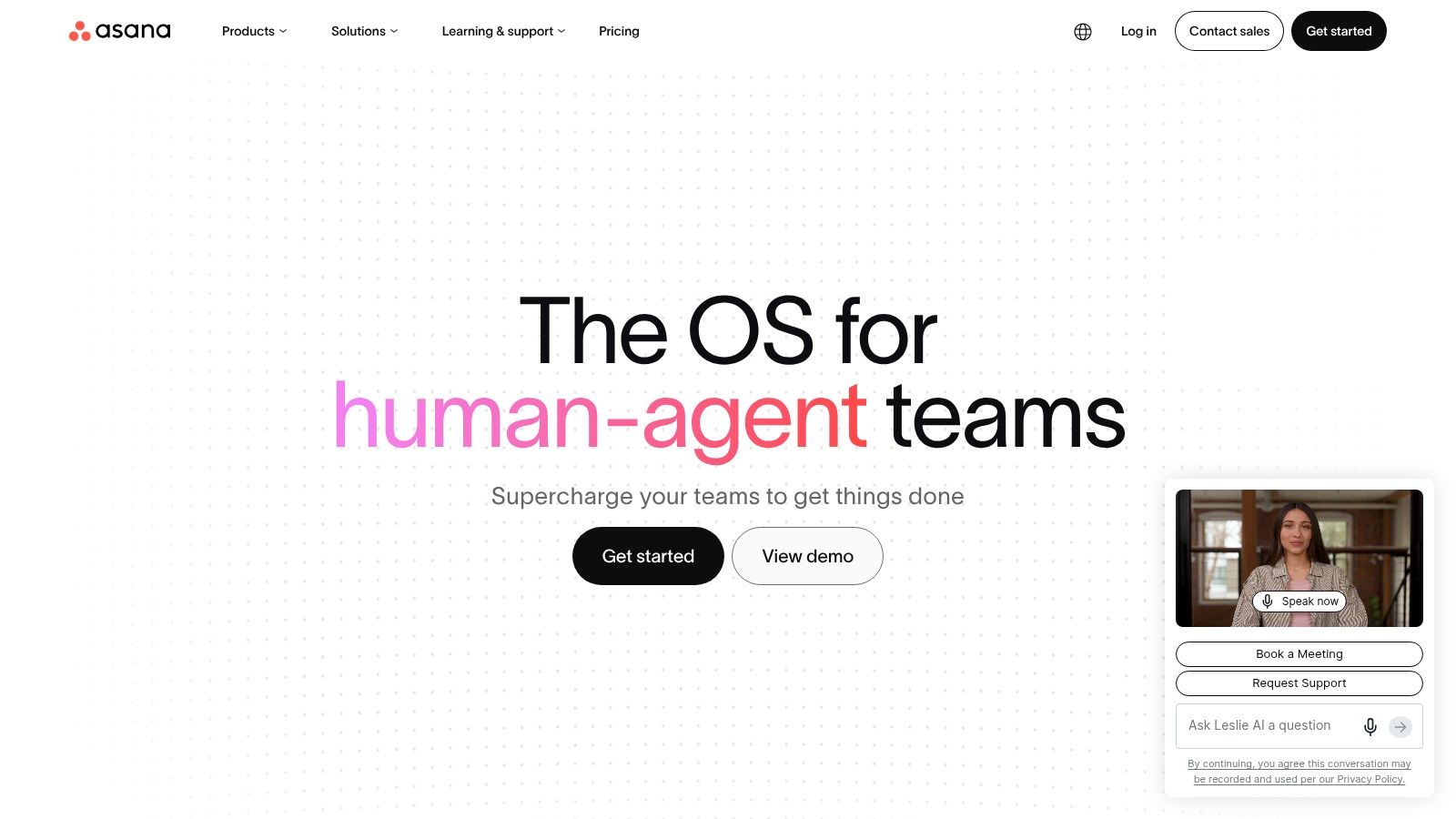
Asana fits teams that need AI inside a serious portfolio and goals environment, not bolted on as an experiment. Its Asana Intelligence layer works across goals, portfolios, projects, and tasks, while AI Studio gives admins a way to build domain-specific AI skills with governance controls. That combination makes sense for PMOs that care about auditability, renewal documentation, and clean handoffs across initiatives.
Asana is strongest when you want AI to help summarize project updates, suggest next steps, and keep work aligned to outcomes. The practical trade-off is that the advanced AI experience is still rolling out in stages, so teams need to check packaging carefully before assuming every feature is available in every SKU. The governance angle is a real plus, though, because enterprise admins can manage usage and control AI requests rather than leaving adoption to chance.
Best fit for PMI Talent Triangle and PDUs
Asana leans hard into Ways of Working by helping project managers structure work more cleanly and reduce coordination overhead. It also supports Business Acumen when portfolio views and goals reporting connect project work to business outcomes. For PDU-focused professionals, the value is easy to frame, you're learning how AI can improve planning discipline, not just automate busywork.
Practical rule: Choose Asana when leadership wants AI with guardrails, not a free-for-all. That's the difference between a tool that survives enterprise review and one that gets blocked by governance.
The main limitation is packaging clarity. If your team needs a quick-win assistant with no change-management friction, Asana can feel more layered than a lightweight copilot. If you need a credible enterprise platform that can grow into deeper AI-enabled coordination, it's one of the safer bets.
2. monday.com
monday.com has leaned into its identity as an AI Work Platform, and that label fits the product direction. The platform now combines assistants like Sidekick, AI agents, and automations that can draft plans, generate tasks from docs or emails, summarize updates, and take actions across boards. For cross-functional teams, the appeal is simple, it gives structure without forcing you into a rigid PM template.
Monday.com is especially useful when the work lives across marketing, ops, PMO, and delivery teams that need a shared visual system. The platform also exposes governance and credit controls, which matters because AI features can become hard to cost-control if admins don't watch usage closely. The developer and marketplace ecosystem is a strong advantage if your org wants to build niche AI apps or agents around existing workflows.
What works and what doesn't
The strengths map well to Ways of Working because monday.com helps teams convert unstructured inputs into tasks and action items. It also supports Power Skills when AI-generated summaries reduce the friction of communication between teams that don't speak the same operational language. The trade-off is that pricing and credits can feel complicated, and some teams report that the platform's breadth creates noise when what they really need is discipline.
When the board structure is clean, monday.com's AI feels useful. When the board structure is sloppy, the AI just helps you scale the mess faster.
That's the honest divide. Use monday.com if your team wants low-code flexibility, visible workflow design, and a path toward AI agents that can be extended over time. Skip it if you're looking for the simplest possible experience and your leaders are likely to question every line item in a usage-based model.
3. ClickUp
ClickUp is the right kind of crowded if your team wants one workspace for docs, tasks, goals, whiteboards, and AI. ClickUp Brain brings AI writing, task creation from files, meeting note capture into tasks, and multi-step workflow execution through its Super Agent concept. That breadth makes it attractive for organizations trying to consolidate scattered work into one operating system.
ClickUp tends to work well for product teams, internal PMOs, and smaller organizations that want a lot of capability in one place. The biggest practical benefit is traceability. When notes, tasks, and documents live together, AI can connect context more easily and surface more relevant suggestions. The main drawback is that AI is a separate per-seat add-on, so the economics matter if you have a large team or multiple departments wanting access.
Where it helps most
ClickUp maps naturally to Ways of Working because it helps you turn inputs into executable work faster. It also supports Business Acumen when the same system tracks goals alongside operational tasks, giving leaders a better view of how execution supports priorities. For PMs working on PDU renewal, it's a good example of how AI changes workflow design, not just note-taking.
A few teams love ClickUp because it replaces five tools. Others find that the same flexibility makes it harder to standardize. Stability complaints also appear in user feedback, so this is a tool to pilot carefully if your delivery environment is sensitive to downtime or inconsistent behavior.
A practical caution
If you adopt ClickUp, define what “done” looks like before you turn on more AI. The platform can create tasks quickly, but quick task creation is not the same as project control. That distinction matters when you're accountable for a schedule, not just a list.
4. Atlassian Jira
Jira remains the default answer for software-heavy delivery teams that need traceability from issue to release, and its AI layer strengthens that position. Atlassian Intelligence adds issue summaries, smart field suggestions, and automation support, while Rovo AI expands discovery across Jira and Confluence. For PMs working in ACP-style environments or any delivery model where the backlog drives the plan, that matters.
Atlassian Jira is best when the project manager needs structured evidence, not just convenience. The product's biggest strength is the surrounding ecosystem, Confluence and Bitbucket integrations, mature plugins, and enterprise controls that support audit trails. The trade-off is packaging complexity, especially when cloud and data center transitions affect roadmap planning or budgeting.
Why PMs keep choosing it
Jira is strongest on Ways of Working because it supports iterative planning, backlog management, and roadmap discipline. It also contributes to Business Acumen when delivery metrics are tied to release outcomes and operational risk. For professionals building PDUs, Jira is a practical example of AI inside a formal delivery system, not AI as a novelty layer.
Practical rule: Jira is usually a fit when the project manager already lives near engineering, product, and test artifacts. If your work is mostly stakeholder coordination and executive reporting, it can feel heavier than you need.
One thing Jira does well is preserve context across the delivery chain. That helps when you need to show why a decision was made, not just that a task moved. The limitation is that AI availability is tied to paid cloud tiers, so budgeting should account for the features you need, not the ones the demo highlights.
5. Smartsheet
Smartsheet is a strong choice for PMOs and operations teams that want grid-based control with AI help layered on top. Smart Assist handles conversational queries and next-action support, while Smart Columns and AI-enabled dashboards help with data prep and reporting. That fits organizations that want portfolio visibility without abandoning familiar spreadsheet-style habits.
Smartsheet stands out because its governance posture is straightforward. Admins can toggle AI on or off across the org, and compliance options make it attractive for regulated environments. The platform also gives many teams AI features without requiring a separate add-on for the basics, which helps with adoption when procurement is watching total cost carefully.
Best for reporting-heavy PMOs
Smartsheet maps clearly to Business Acumen because it helps leaders connect portfolio status, dashboard views, and work intake to broader delivery priorities. It also supports Ways of Working by reducing the manual effort involved in turning raw data into useful management views. For PMs collecting PDU evidence, it's a good example of how governance and automation can coexist.
The main limitation is depth by tier. Advanced AI features usually sit higher in the plan structure, so the practical question is whether your current tier already covers the outcomes you need. If your team wants polished enterprise reporting and moderate AI assistance, Smartsheet is easy to recommend. If you want aggressive workflow automation and agent-style execution, it may feel more conservative than some newer tools.
A lot of PMs underestimate how valuable a clean reporting backbone is until they're forced to explain status to executives every week. Smartsheet makes that job less painful without demanding a total operating model change.
6. Wrike
Wrike is built for teams that care about approvals, evidence, and intake-to-execution discipline. Wrike Copilot supports project Q&A, summarization, and content drafting, while AI bundles define where the deeper features sit. That packaging makes it easier for enterprises to map AI capability to license levels, which procurement teams usually appreciate.
Wrike is a particularly good fit for agencies and PMOs that need resource management, proofing, and a clear trail from request to delivery. The platform's AI posture is also more enterprise-friendly than some lighter tools because it uses an Azure OpenAI-backed approach for some features, which helps reassure teams that need a stronger data protection story. The downside is that AI features are gated at higher plans, so license mapping needs care.
Where Wrike earns its keep
Wrike supports Ways of Working by helping teams keep intake, workflow, and delivery in one chain. It also supports Power Skills because cleaner summaries and request handling reduce friction between project teams and stakeholders. That's not glamorous, but it's exactly where many project managers burn time.
Practical rule: Choose Wrike when approval flow matters as much as task flow. If your team's biggest pain is “who approved what, and when,” Wrike is more useful than a prettier task board.
Wrike's strength is control. It's not trying to be the most playful AI assistant in the category. It's trying to be a serious project operations platform where AI helps reduce coordination drag, and for many PMOs, that's the right trade.
7. Microsoft Planner and Project
Microsoft's advantage is obvious, it can bring AI into a stack many organizations already trust. Copilot in Planner is designed to generate plans, tasks, buckets, and status updates inside the Planner and Teams ecosystem, while Microsoft continues to unify Planner and Project for the web. If your company lives in Microsoft 365, this is often the lowest-friction AI entry point.
Microsoft Planner matters most when adoption risk is higher than feature curiosity. You're not asking the business to learn a new world, you're extending the tools they already use for meetings, files, and identity. That reduces change-management overhead and helps IT teams keep security and compliance in a familiar environment.
Why enterprises pay attention
Microsoft Planner and Project map well to Ways of Working because the AI is embedded where plans and status already live. They also support Business Acumen when portfolio and project artifacts stay connected to the rest of the Microsoft ecosystem. For certified PMs, that makes the tool useful for PDU-relevant learning because it shows how AI changes execution in a real enterprise stack.
The limitation is that the rollout still has preview and timing uncertainty in parts of the experience. That means you need to verify what's currently available before promising a team a full Copilot-enabled workflow. The upside is still substantial if your organization wants to keep vendor sprawl low and governance centralized.
If I were advising a Microsoft-first PMO, I'd start here before chasing shiny point solutions. The value is not just the AI, it's the reduced friction of putting AI in the system everyone already understands.
8. Notion
Notion is often the most natural fit for teams that treat documentation and lightweight project management as one process. Notion AI handles in-page writing, summarization, autofill, and meeting notes, while Custom Agents add automation and external actions on a credit basis. That's a strong combination for teams that want flexibility without building a heavyweight PM structure.
Notion is especially useful when roadmaps, RAID logs, team notes, and project pages need to coexist in one flexible workspace. The AI is embedded in the authoring experience, so it feels less like a separate tool and more like an assistant that lives inside the workspace. The trade-off is cost control, because the credit model for agents can get confusing if admins don't watch consumption.
Best use case and trade-off
Notion supports Power Skills by making it easier to write clear updates, meeting notes, and stakeholder-ready summaries. It also supports Ways of Working when teams need a central place to draft plans and keep related documents connected. For PDU-oriented professionals, it's a solid example of how AI can improve documentation quality without forcing a rigid process.
Good Notion setups create shared understanding. Bad ones become a beautifully organized pile of partial information.
That line matters because Notion rewards discipline. If your pages are inconsistent, the AI inherits inconsistency. If your team keeps structure tight, Notion AI becomes a useful knowledge layer. The extra Guide to Notion AI can help teams understand how the product behaves in more detail.
9. Hive
Hive takes a workspace-level approach with HiveMind, which means the AI sits across drafting, summarizing, action recommendations, and project setup. It also integrates email and calendar follow-up, which makes it appealing for teams that want project work and communication to stay linked. That's a practical advantage for small teams and fast-moving internal operations.
Hive is a good choice when you want chat-style assistance woven through tasks, docs, Gantt views, Kanban, and forms. The admin controls are useful because they let leaders enable or disable AI across the workspace, instead of leaving adoption to individual preference. The main limitation is that enterprise features and SLAs sit higher up the plan ladder, so global teams need to check service expectations before standardizing on it.
Where it fits in the triangle
Hive supports Ways of Working by helping teams plan, coordinate, and follow through with less manual effort. It also helps with Power Skills because email and calendar integration reduce the back-and-forth that usually clutters stakeholder communication. For PMs earning PDUs, it's a useful example of how embedded AI can improve coordination without demanding a new operating model.
A lot of teams like Hive because the AI feels available everywhere, not isolated in one corner of the product. That's also why governance matters. If AI is easy to use everywhere, it's also easy to use casually, and casual use is where project data quality starts to slip.
10. Motion
Motion is the most scheduling-first tool on this list, and that's exactly why some PMs love it. Its AI Project Manager automatically plans projects, assigns calendar time blocks, and reprioritizes tasks as priorities shift. For individuals and small teams, that can cut the daily friction of deciding what to do next.
Motion is especially effective when the calendar is the primary source of truth. If your team works in a high-context environment with constant interruptions, Motion can reduce context switching by making the schedule itself smarter. The trade-off is that team use needs careful evaluation because pricing and credit models can confuse buyers, especially when they expect a straightforward task tool.
Best for personal productivity and execution rhythm
Motion maps to Ways of Working more than anything else because its core value is scheduling discipline. It also supports Power Skills indirectly by reducing the cognitive load that comes from constant reprioritization. For PMs who want to demonstrate PDU-aligned learning, it's a clean illustration of how AI can shift daily execution from reactive to planned.
The tool is strongest when a single person or a small team needs a calendar-native system to keep work moving. It's less compelling for complex portfolio governance or enterprise-level reporting. If your biggest pain is that the week keeps blowing up your plan, Motion can help. If your biggest pain is executive governance, choose something broader.
Top 10 AI Project Management Tools Comparison
| Tool | Core features ✨ | Quality ★ | Pricing / Value 💰 | Target audience 👥 | Standout 🏆 |
|---|---|---|---|---|---|
| Asana (Asana Intelligence & AI Studio) | ✨ AI summaries & next-step suggestions; AI Studio for domain skills; portfolio/OKR reporting | ★★★★☆ | 💰 Enterprise-focused; AI SKUs rolling out (can be complex) | 👥 PMs, portfolio owners, governance teams | 🏆 Strong governance, audit trails & portfolio mapping |
| monday.com (AI Work Platform / Sidekick) | ✨ AI agents/Sidekick; automations; marketplace & dev platform | ★★★★ | 💰 Credit/credit-based tiers; flexible but can be complex | 👥 Cross-functional teams, PMOs wanting low-code extensibility | 🏆 Extensible AI apps marketplace & agent framework |
| ClickUp (ClickUp Brain) | ✨ AI task gen from files; Super Agent multi-step workflows; meeting capture | ★★★★ | 💰 Per-seat AI add-on; start small but add costs scale | 👥 Teams consolidating docs, tasks, whiteboards (SMB→mid) | 🏆 Broad single-workspace AI across docs/tasks/goals |
| Atlassian Jira (Atlassian Intelligence / Rovo AI) | ✨ Issue summaries & smart fields; AI-assisted roadmaps; Confluence integration | ★★★★☆ | 💰 Cloud tiered pricing; AI features tied to paid plans | 👥 Software teams, ACP/PgMP audiences needing traceability | 🏆 End-to-end delivery traceability and enterprise compliance |
| Smartsheet (Smart Assist) | ✨ Conversational Smart Assist; Smart Columns; AI dashboards & PPM templates | ★★★★ | 💰 AI included in many plans; advanced AI on Business/Enterprise | 👥 PMOs, regulated teams needing portfolio reporting | 🏆 PPM-style reporting with clear governance & compliance |
| Wrike (Wrike AI & Copilot) | ✨ Copilot chat, summaries, request intake; resource management & proofing | ★★★★ | 💰 AI Essentials/Elite bundles; gated at higher tiers | 👥 Agencies, enterprise PMOs needing intake→execution flows | 🏆 Strong intake workflows and enterprise resource mgmt |
| Microsoft Planner & Project (with Copilot) | ✨ Copilot plan & task generation; Teams & M365 integration; security | ★★★★☆ | 💰 Included for M365 customers; Copilot pricing evolving | 👥 Enterprises on Microsoft 365 seeking minimal vendor added | 🏆 Seamless M365 integration with enterprise security posture |
| Notion (Notion AI & Custom Agents) | ✨ In-page writing/summaries; meeting notes; Custom Agents & flexible DBs | ★★★★ | 💰 Core AI in Business/Enterprise; agents credit-based | 👥 Documentation-heavy teams and small PM workflows | 🏆 Deeply embedded authoring + flexible databases |
| Hive (HiveMind) | ✨ Workspace AI suggestions; email/calendar follow-ups; admin toggles | ★★★★ | 💰 Workspace-level AI; enterprise SLAs on higher plans | 👥 Teams wanting chat-style assistance across Gantt/Kanban | 🏆 Workspace-level AI without per-message limits |
| Motion (AI Project Manager) | ✨ Automatic calendar-aware scheduling; dynamic reprioritization; templates | ★★★★ | 💰 Transparent public pricing; trials available; credit details vary | 👥 Individuals & small teams focused on calendar execution | 🏆 AI-driven auto-scheduling and time-block optimization |
From AI-Aware to AI-Powered Your Strategic Guide
The smartest way to adopt project management AI tools is to match them to your real pain points, not to the longest feature list. If your team is drowning in reporting, Smartsheet and Asana deserve attention. If your world runs on software delivery, Jira is still the most natural fit. If your organization already lives in Microsoft 365, Planner and Project offer a lower-friction path into AI than starting from scratch.
How to choose the right AI PM tool
Start with the work that wastes the most time. Teams that need scheduling discipline should look at Motion, teams that need cross-functional coordination should look at monday.com, and teams that want a documentation-first workspace should look at Notion. Enterprises should care just as much about governance, admin controls, and audit trails as they do about convenience.
Practical rule: Buy the tool that fixes your biggest project-management failure mode first. The rest of the feature set matters later.
Implementation best practices
Treat adoption like a small internal change program. Pilot one use case, set a human review step for AI-generated output, and make sure your team knows what the tool is allowed to do. That advice is especially important because only 25% of tools in a 2026 analysis of 51 project management and product management tools supported agentic AI that can take autonomous actions, while 45% offered content-generation AI and about 35% included predictive or automation AI (AI PM Tools adoption statistics). In plain English, many “AI-powered” claims still describe copilots, not systems that can safely execute work on their own.
Data privacy and verification still matter
The key risk isn't just whether a tool is smart. It's whether your team knows how to verify AI output, set approval steps, and protect sensitive project data. That's why governance is now a core buying criterion, not a nice-to-have, especially as vendors move from standalone assistants toward embedded AI and digital-agent workflows.
Mapping AI to the PMI Talent Triangle and PDUs
Ways of Working grows when AI helps you plan, schedule, and report more cleanly. Power Skills grow when AI helps you communicate better, summarize faster, and reduce friction with stakeholders. Business Acumen grows when AI helps you turn project data into portfolio decisions and outcome conversations.
If you're maintaining certification, this is also a natural area for PDU-earning learning because the tools connect directly to modern project practice. The Renew PMP – AI for PMs 60 PDU bundle from Kavita Sharma is built for that exact gap, practical AI learning with explicit Talent Triangle mapping for working project professionals.
The market is moving fast, but the buying logic is still simple. Pick the tool that fits your workflow, verify the governance model, and use AI to free yourself for the work only a project leader can do, judgment, coaching, and stakeholder alignment.
If you want structured mentorship, pre-approved PDU bundles, and practical study materials that connect AI to the PMI Talent Triangle, Kavita Sharma is built for that path. The site offers PMP and other certification support, plus resources that help working PMs turn new AI skills into renewal-ready professional development.
Created with Outrank tool